
Products

Yealink SP92
May 8, 2026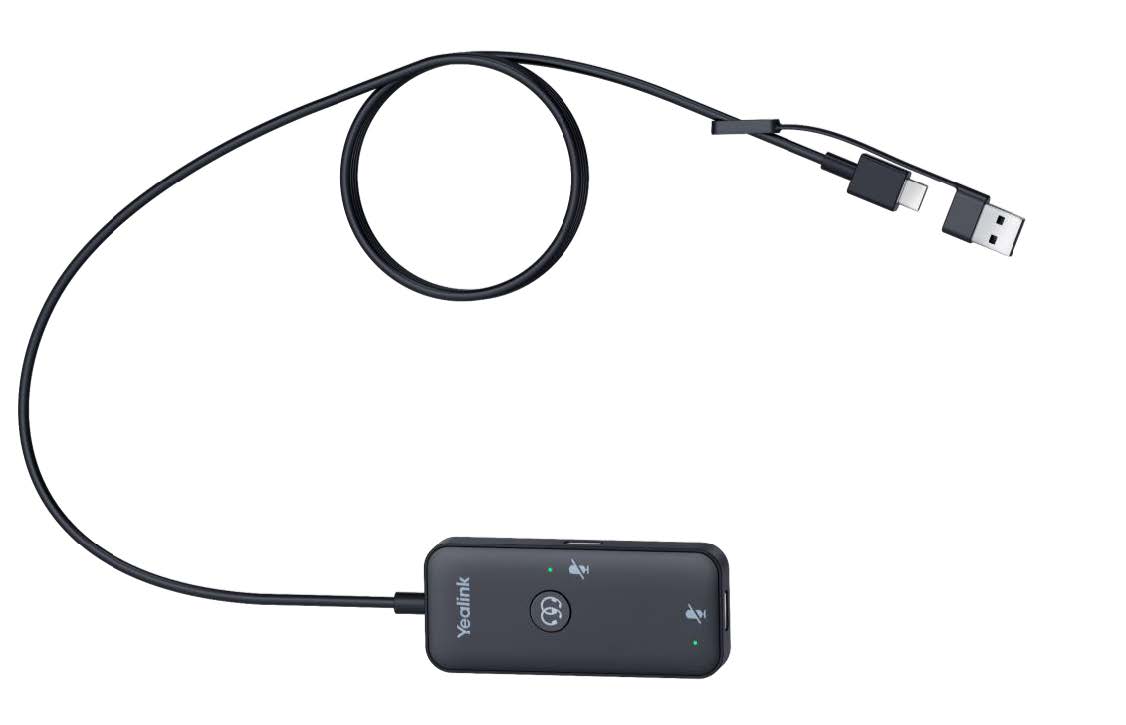
Yealink USB/QD Training cord
Function Introduction:
Monitoring:
Once both the training and student ends are connected to a USB device (UH headset or
BT51 dongle), the system immediately enters monitoring mode. In monitoring mode,
the trainer can hear the conversation between the student and the customer.
Intervention:
Once both the training and student ends are connected to a USB device (UH headset or
BT51 dongle), in addition to monitoring mode, the system also enters intervention
mode. In intervention mode , the trainer can participate in the conversation between
the student and the customer. Both headsets can answer/reject/hang
up/hold/ unhold /replay/off hook . The student and training headsets independently
control their own mute/unmute functions and playback volume
Guidance:
In intervention mode,
one click the training mode switch button will enter guidance
mode. In guidance mode, the trainer’s speech is only audible to the student; the other
end cannot hear it. The student can still converse normally with the other end, and
the indicator light on the training end’s interface on the training cable box will flash red,
while the indicator light on the student end’s interface will be off. Clicking the training
button again or ending the call in guidance mode will return to intervention mode.
Takeover:
In intervention mode, press and
hold the training mode switch button for 2 seconds
to enter takeover mode. In takeover mode, the student’s microphone will be forcibly
muted, only the training microphone will be enabled , and the student’s interface
indicator light on the training cable box will remain solid red, while the training interface
indicator light will be off. In takeover mode, clicking the training button again or ending
the call will return to intervention mode.
